Poniso Studio
Design and visualize in 2D and 3D.
Go to Studio →
From floor plan to reality
Design, furnish and visualize your home or project in 2D and 3D.
Simple, fast and professional results.
The Poniso ecosystem
Discover the complete Poniso ecosystem. From designing your space to creating interior styles, managing projects and capturing reality — everything connected to bring your ideas to life.
Explore all productsDesign and visualize in 2D and 3D.
Go to Studio →
Create your own interior style with AI.
Coming soon →
Organize projects and collaborate with your team.
Coming soon →
Capture any space with your phone and turn it into a floor plan.
Coming soon →Poniso Studio
Your home, before you change a thing. Bring your floor plan, explore the possibilities and turn an idea into a design you can see.
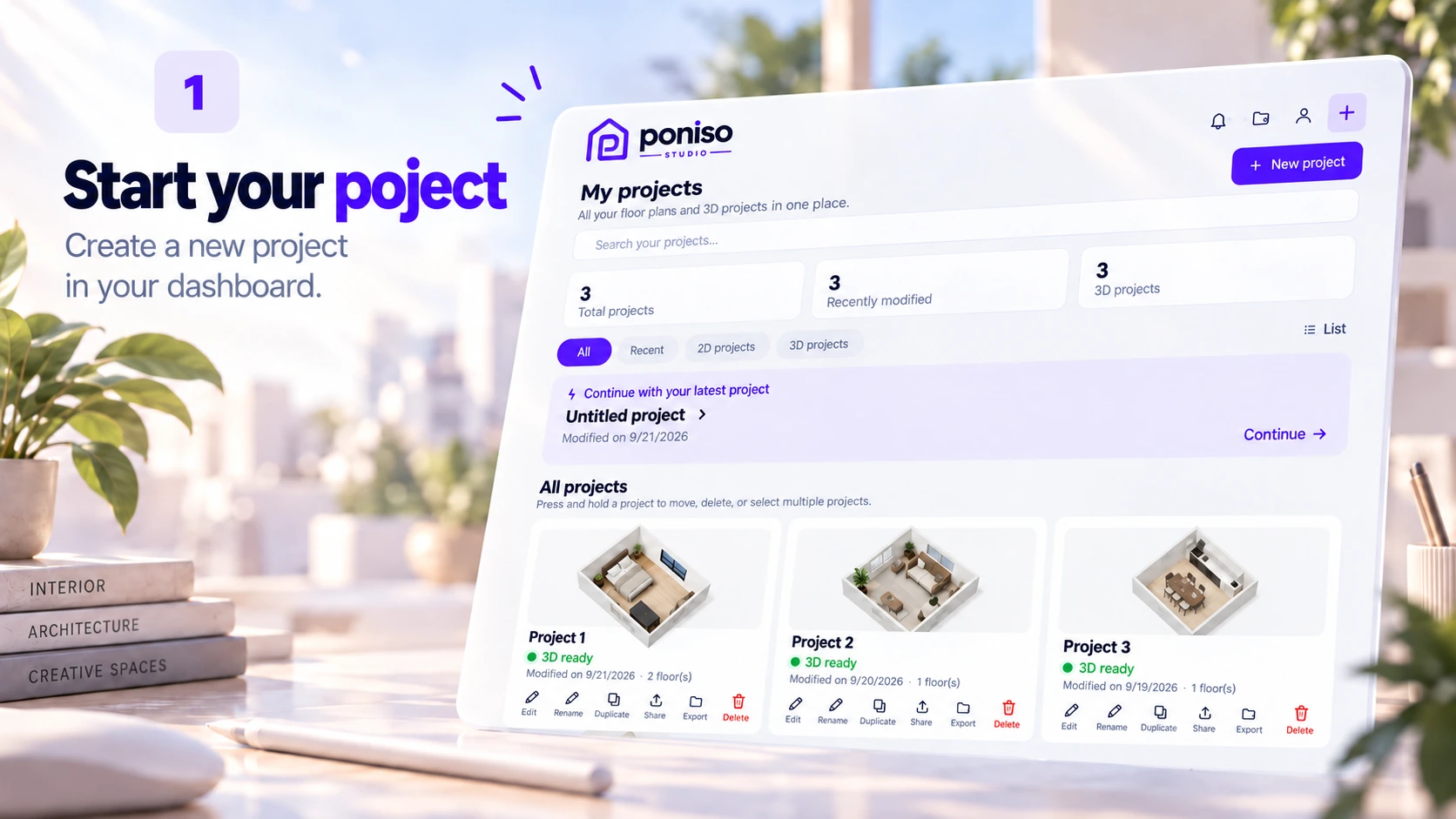
Turn an imported floor plan or sketch into an editable starting point in 2D and 3D. Spend less time tracing and more time designing.
Create objects for your space. Describe your idea, set the dimensions and bring a personal touch to your interior.
Put your first idea on the canvas with a freehand sketch. Explore a layout naturally before refining the details.
Start with an idea, try a different layout and see it in 3D. A clear workflow, without needing CAD experience.
Start with an existing floor plan and use it as the foundation for your design.
Explore your layout, adjust rooms and refine your ideas in a clear top-down view.
Move from a flat drawing to a spatial view and see how your rooms work together.
Try furniture from the library and discover a layout that fits your space.
Bring your interior together with materials, colours and your own style.
Get help from Flynn as you work on your project. Capabilities depend on your plan.
Explore more considered choices with the Sustainability Coach in Pro and Unlimited.
Create a render or export your work to present your idea beyond the editor.
Poniso Studio subscriptions
Start with one project. Choose more room to create when you need it.
| Compare plansPrices per month | Poniso Free€0 FreeStart free → | Poniso Plus€4.99 per monthGo to Studio → | Poniso Pro€9.95 per monthGo to Studio → | Poniso Unlimited€29.99 per monthGo to Studio → |
|---|---|---|---|---|
| Design & projects | ||||
| Projects | 1 | 3 | unlimited | unlimited |
| Object library | limited | larger | full | full |
| Auto-Convert | 1× | more | higher | fairUse |
| AI & guidance | ||||
| Flynn | noGemini | Included | Included | Included |
| Object Maker generations | 1 | 5 | ≈15 | fairUse |
| Sustainability Coach | unspecified | unspecified | Included | Included |
| Rendering, export & cloud | ||||
| Renders | 1 | ≈5 | higher | premium |
| Exports | 1 | unspecified | higher | asPro |
| Cloud Sync | unspecified | basic | Included | Included |
| Cloud priority | unspecified | unspecified | unspecified | highest |
≈ means approximately. “Not specified” means no allowance was supplied for that plan. Unlimited includes everything in Pro; fair-use limits apply where indicated.
Frequently asked questions
Free lets you try one project with a limited library and one Auto-Convert, render, export and Object Maker generation. Plus (€4.99/month) suits up to three projects, with a larger library, basic Cloud Sync, approximately five renders and five Object Maker generations. Pro (€9.95/month) adds unlimited projects, the full library, Cloud Sync and the Sustainability Coach. Unlimited (€29.99/month) is for heavier use, with higher processing allowances and the highest cloud priority.
Auto-Convert turns an imported floor plan or sketch into an editable starting point in 2D and 3D. Object Maker generates a custom object from your description and dimensions. Rendering creates an image of your design; exporting takes your result out of the editor for presentation or sharing. These have separate allowances: Free includes one of each. Plus offers more Auto-Convert, approximately five renders and five Object Maker generations; Pro increases the Auto-Convert, render and export allowances and includes approximately fifteen Object Maker generations.
No. Pro and Unlimited let you create unlimited projects, but project capacity and processing allowances are different. Unlimited includes everything in Pro, with high fair-use allowances for Auto-Convert and Object Maker, more premium rendering and the highest cloud priority. Fair use means these tools are not offered without any usage limits; compare processing allowances as well as project counts when choosing your plan.
Flynn helps you explore your layout, furnishing and style while you design. Free includes Flynn without Gemini; Plus, Pro and Unlimited include Flynn. The Sustainability Coach is included in Pro and Unlimited, helping you explore the impact of your choices alongside your design. Choose Pro or Unlimited if you want this sustainability guidance as part of your workflow.
Plus includes basic Cloud Sync, while Pro and Unlimited include Cloud Sync. Unlimited adds the highest cloud priority and more premium rendering, which makes it the plan to consider when you frequently use cloud processing. For a smaller design workflow, Plus combines basic sync with up to three projects; Pro combines sync with unlimited projects and the full library. Cloud priority does not mean unlimited processing or a guaranteed completion time.
About us
Poniso connects design, interior styles, project management and space capture.
Contact Poniso →